Work / Tool · App · Workshop · Visuals
Chipgrid
Open
- ChipgridOpens with the tutorial. Works on a computer or a phone, nothing to install.Run
About
Why
Chipgrid was made for an 8-bit workshop. People make chip music and pixel pictures from scratch, with no software to install and no music theory needed: open the page, follow the tutorial, and change numbers while it plays.
The language is inspired by Orca, the live-coding grid, but with its own operators made for sound chips and screens of the 1980s. It has the NES’s four voices and its quirks, such as a triangle with no volume control and noise from a 15-bit register, plus old palettes and the tricks of demos: copper bars, palette cycling, mirrors.
Workshop
The grid explains itself. Pointing at a cell shows its role, its inputs light up, and every example has a short text. The Why 8-bit? tab tells the history: the chips, the composers, and the techniques they invented to get around the limits.
A multiplayer version, with up to ten people on one large shared grid and a projector view, runs on a laptop on the workshop’s Wi-Fi. Everyone hears the same music and sees the same picture. The grid saves itself, and anyone who drops off gets their place back when they return.
Built with
One HTML file: JavaScript, the Web Audio API with an audio worklet for the chip, canvas 2D for the grid and the screen. No framework, no dependency. The multiplayer server is one small Node program, also without dependencies.
Features
- 01
The grid is the program
Each letter is an operator. Every tick, a 16th note, it reads its neighbours and writes its result below. Clocks, sequences, random numbers and movers make the patterns, and a bang (*) triggers sounds.
- 02
A chip like the NES
Two pulse waves with four widths, a 4-bit triangle and a noise channel with its metallic mode, 16 volume steps, fast arpeggios for chords, pitch drops for drums.
- 03
Pictures from code too
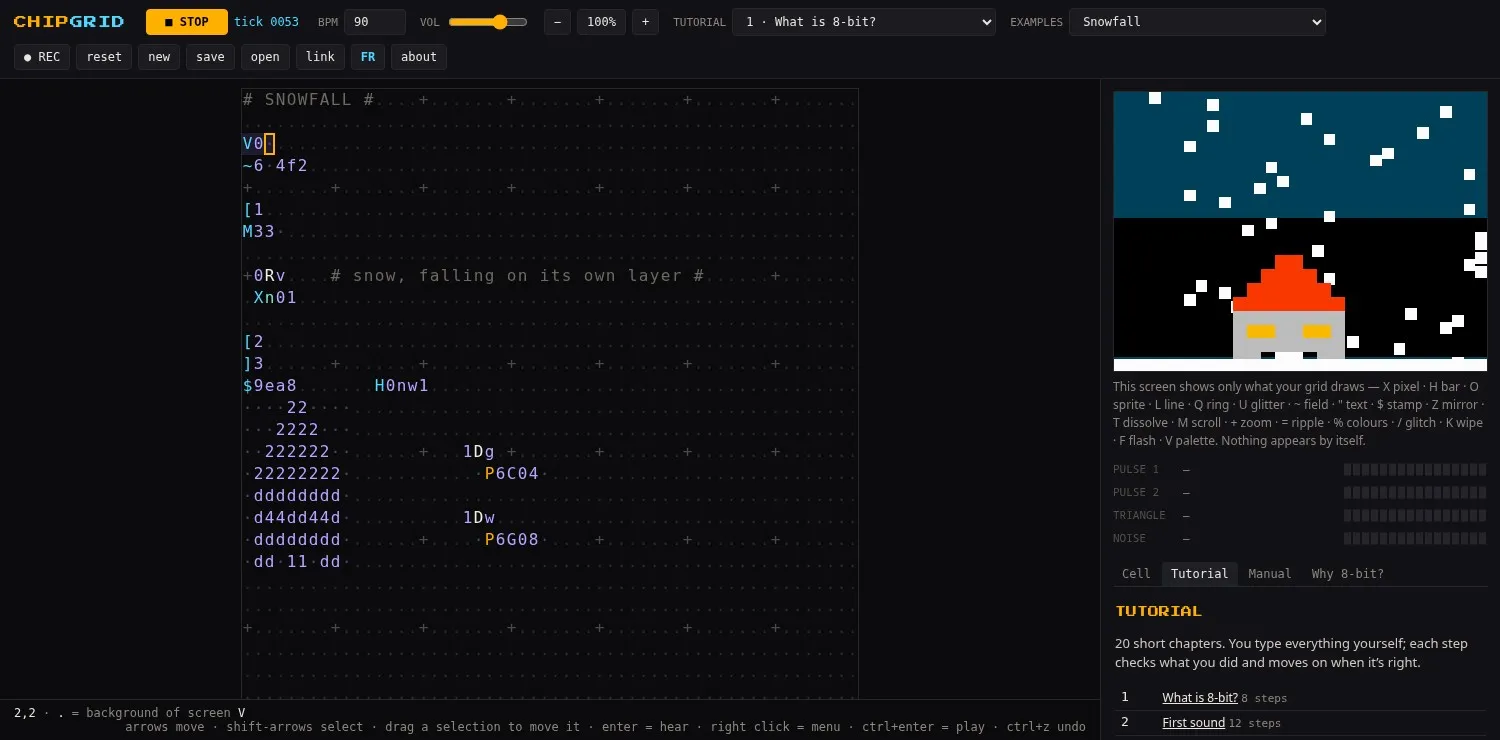
A 160 × 120 screen with old palettes (NES, C64, Game Boy, CGA) and three layers. Pixels, bars, sprites, lines, rings, text, moving backgrounds, scrolling, zoom, mirrors, ripples and palette cycling. Nothing appears unless the grid draws it.
- 04
Pictures that listen
An operator reads the volume of any chip channel, so bars, rings and sparkles can follow the drums and the melody.
- 05
Lay out your code freely
Movers follow tracks you draw across the grid, with turns and rails. Named links carry a value from one corner to the other, and gates fire only when a signal arrives. The code can take whatever shape you like.
- 06
Code that is also a picture
Sprites are written in the grid as digits, so the house in the code is the house on the screen. Whole examples are drawn this way, such as a city, a mandala and a circuit board, and they all play.
- 07
A tutorial that checks your work
Twenty short chapters, from what 8-bit is and how to count in base 36 and hex, through drawing, effects and building a song, to playing together. You type everything yourself; glowing characters show where, and each step moves on when it is right.
- 08
Examples to take apart
Songs, rhythms, visuals, routes, code as art and little worlds, plus short recipes to copy, such as a flash on the kick or random notes that stay in key.
- 09
Hover to understand
Pointing at any cell says what it is, what it reads and what it is outputting right now. The manual and a short history of chip music are in the side panel.
- 10
Edit while it plays
Select a block and drag it elsewhere, zoom the grid, or reset to the start without losing your code. Your work is kept in the browser.
- 11
Phones, two languages
Works on a phone with an on-screen keypad. English and French, switched with one button.
- 12
Record and share
Record the sound and the screen to a video, save the grid to a file, or share it as a link.
Images
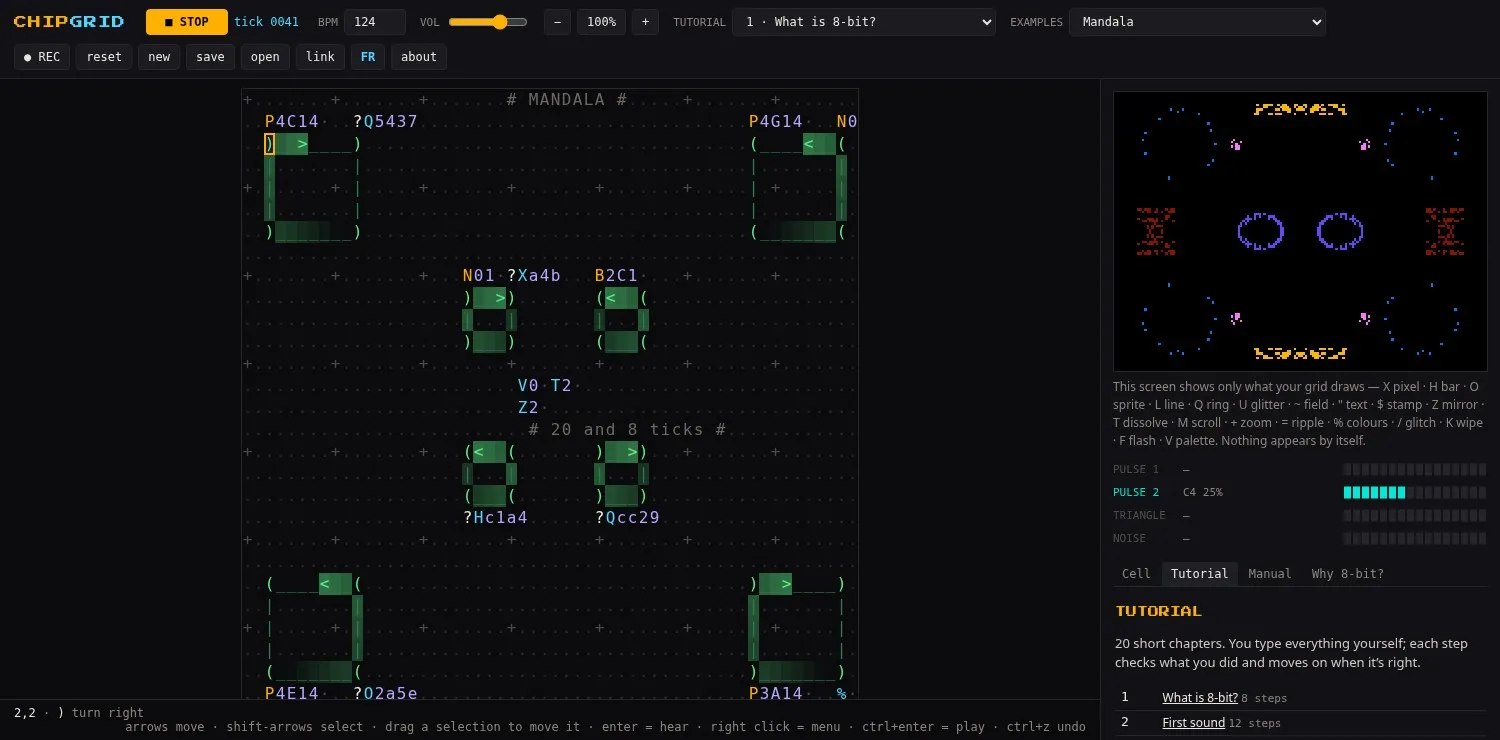
Mandala. Eight wheels of rails, mirrored in the code and on the screen. 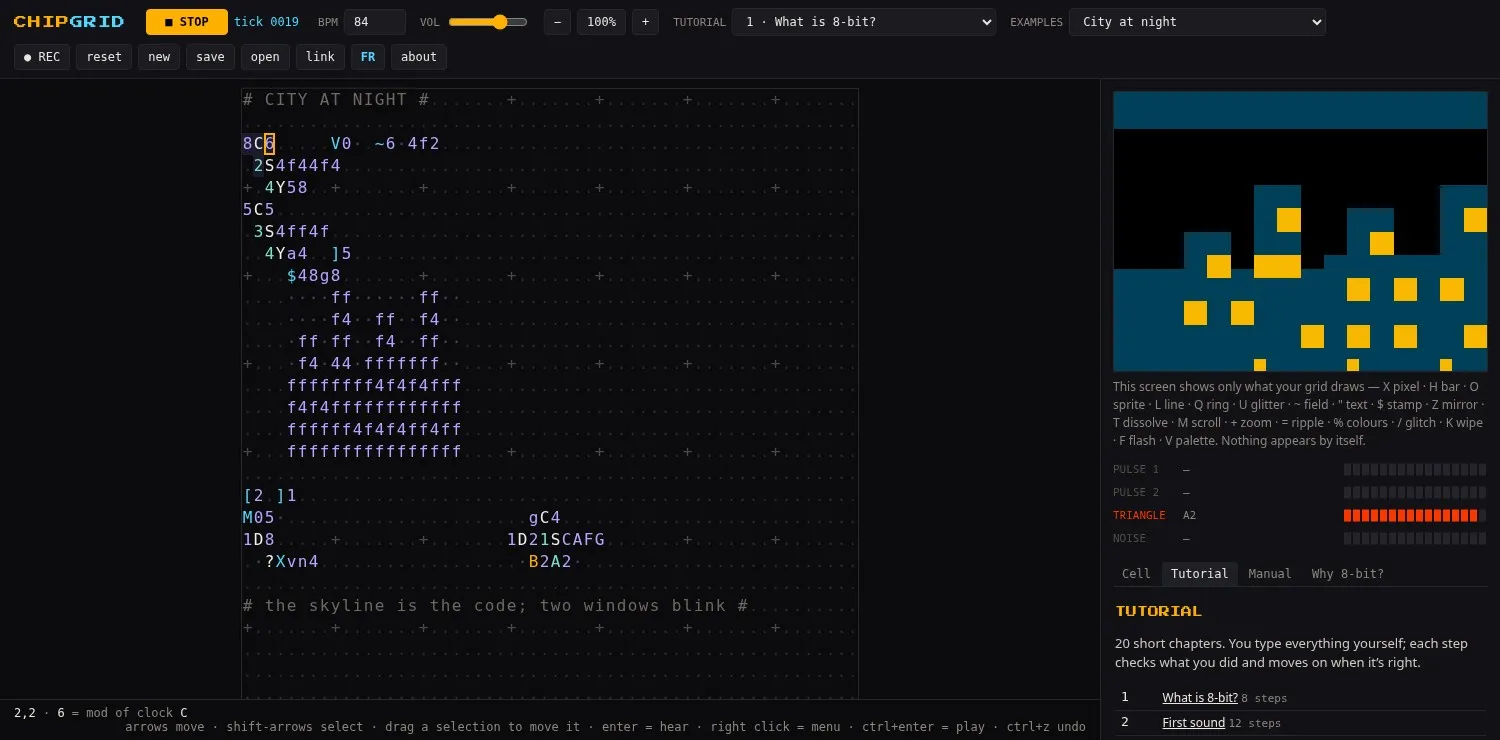
City at night. The skyline is written in the code, and two windows blink.
Documentation
Start here
Guides
Reference
Credits
- Design, sound chip, code — SVDK