World Light / Journal
World Light: the stage, in one file
The engine of World, without its content, as one HTML file of 105 KB you can open, take apart and send on: areas on a plane, a camera that travels between them, transitions, looks, and the sound moving it all through cables. With a tutorial that is itself a world.
World is the stage our live-coded concerts are told on. It has grown big: about seven hundred modules, eight ways of writing code as it plays, projector outputs, sets of worlds. That’s what a concert needs, and it’s also why World is not something we hand out (here is what it makes: CRASH SERVER · Body Machine was built with it). World Light is the part that can be handed out. It keeps the engine and drops the content: one HTML file of 105 KB, with no dependencies and no server. You can open it here.
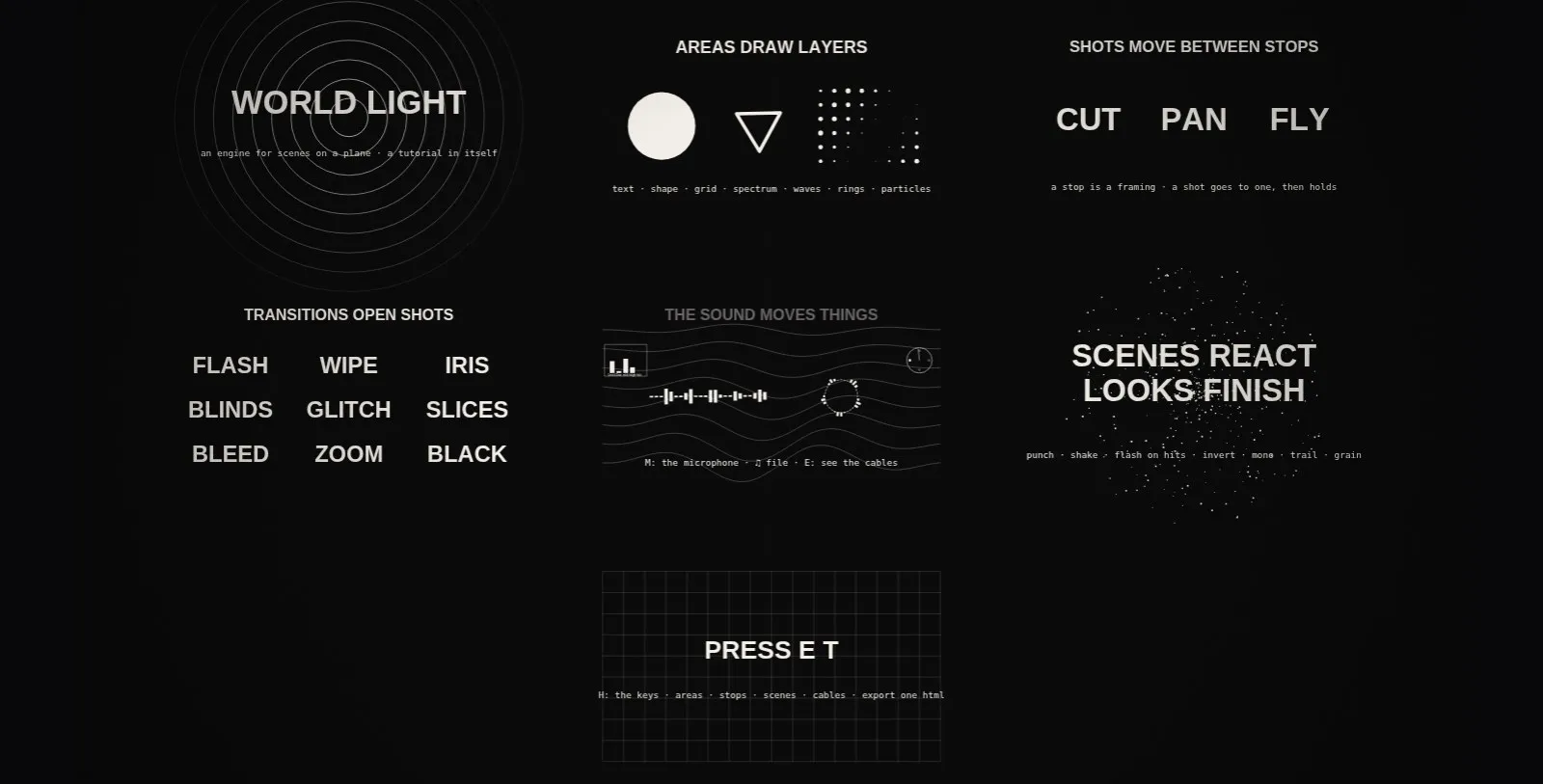
It opens on its tutorial, which is itself a world. Each room on the plane shows one idea of the engine, and the story visits them in order, so what it says is what it does. Press E at any moment to take it apart.
Space instead of a timeline
Most video tools put clips on a timeline: time is the main axis, and space is what each clip contains. World turns that round. There is one plane with everything on it, and one camera that travels over it. Editing means deciding where to look, and when.
That changes what a cut is. It’s no longer a jump between two recordings but between two places in the same world, which sit side by side. So the move between them can be continuous instead: a pan across the gap, a flight over everything. The audience can learn the geography, and the montage can play with it.
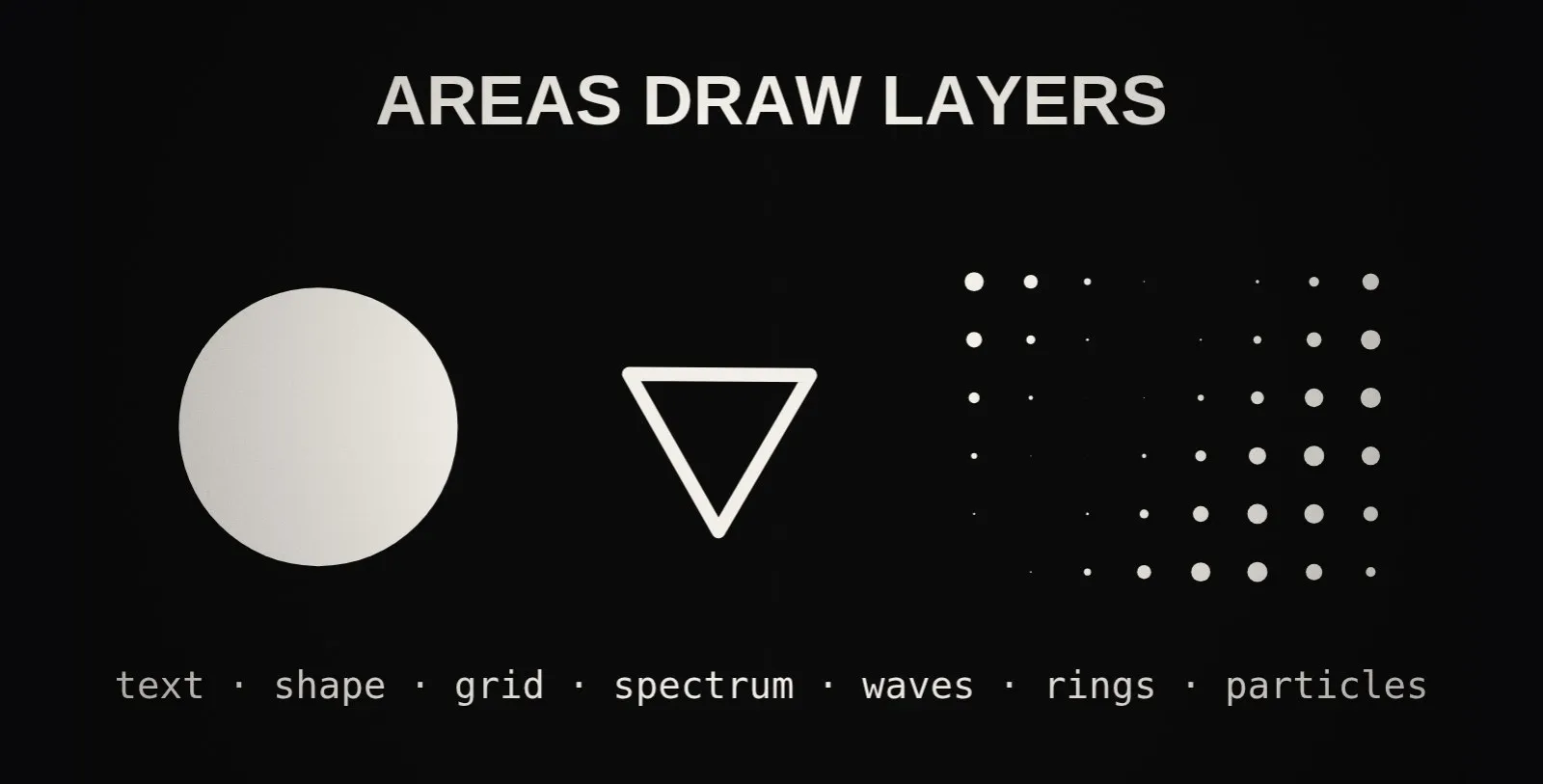
The document holds three kinds of thing:
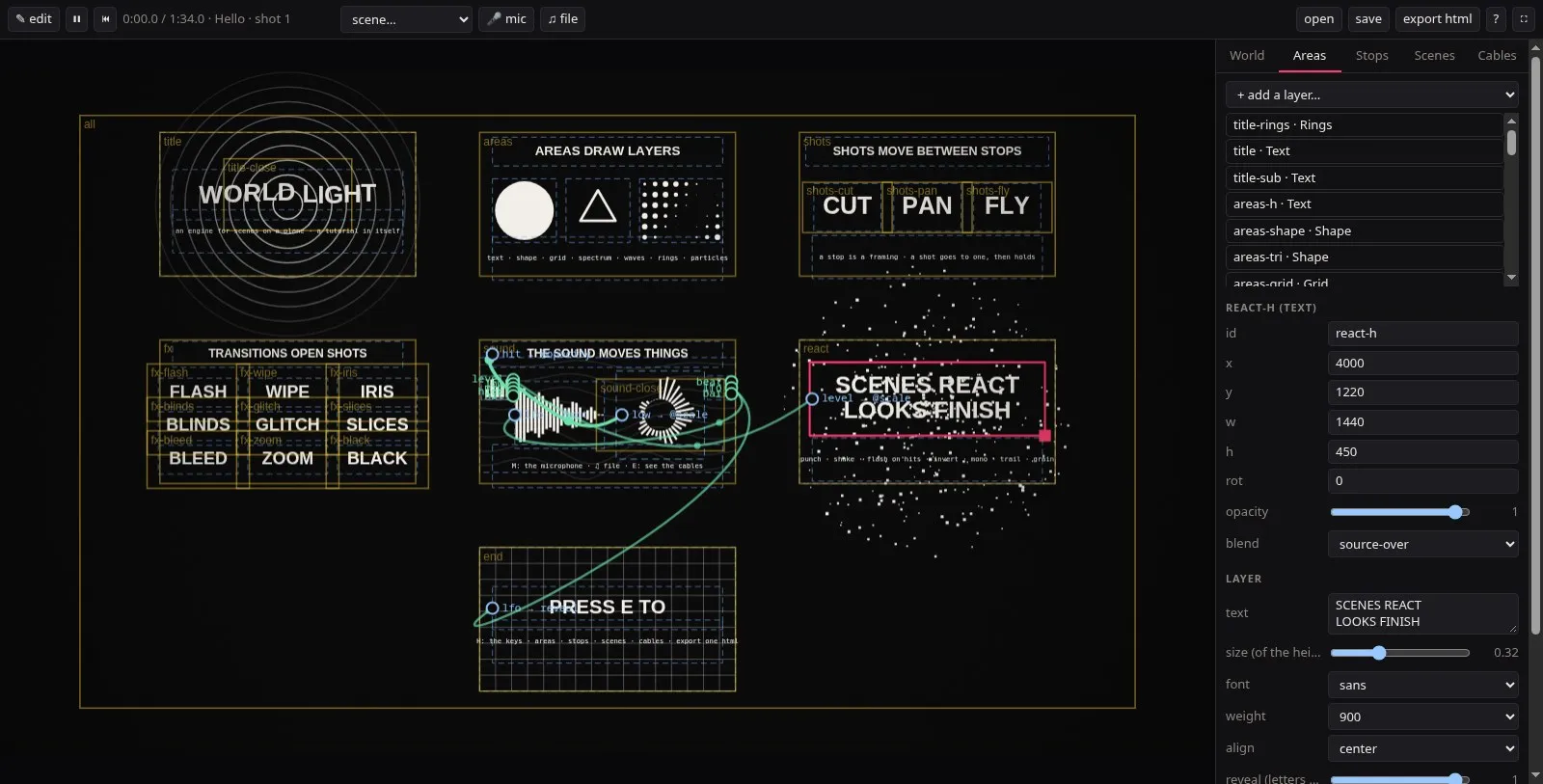
- areas: rectangles on the plane, each drawing a layer;
- stops: framings;
- scenes: lists of shots.
The stops are the hinge between them. Areas don’t know about shots, and shots only name stops.
A shot is a move and a hold
The grammar has one sentence: go to a framing, then stay. The move is a cut, a pan or a fly, with a duration and an ease; the hold is in seconds, or in beats at the world’s tempo. Two details make the motion feel natural rather than mechanical:
- Zoom is geometric. The width changes by equal ratios, so halving twice feels like the same step twice.
- A fly rises on the way, wide enough at the top of its arc to hold both ends, so the eye keeps its bearings. It’s a rough form of the smooth zoom-and-pan path of van Wijk and Nuij (IEEE InfoVis 2003).
The picture is a function of time
The rule underneath it all: frame = f(document, time, sound). The story turns a moment into a camera, and the layers keep no memory. A particle’s position is worked out from its seed and the time, not stepped on from the last frame. That buys a lot:
- skipping to any second is instant and exact;
- a video rendered frame by frame is the film you played;
- the story can be edited while it plays;
- looping comes free.
The past leaks in at exactly two places:
- the trail, a look that leaves the previous frame showing as it fades;
- the sound, unless a file is playing, because then the file is the clock.
Transitions open shots
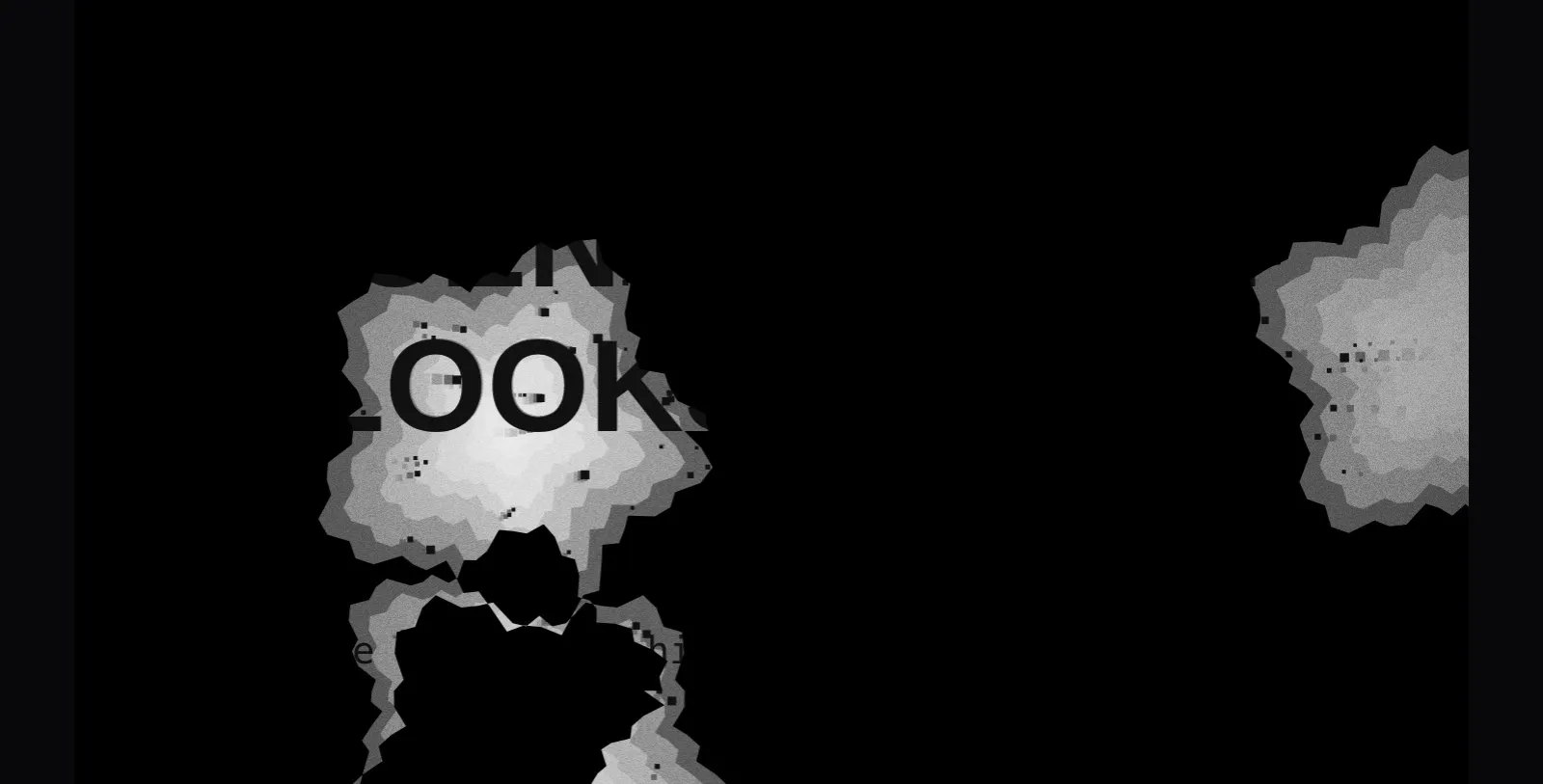
Film’s default transition is the crossfade: two pictures at once, blended. Here there is never more than one picture. A transition is an opening: the new shot appears from under black, light or ink, through a shape or a tear, during its first fraction of a second. That’s how live visuals cut, on the beat, hard, with a gesture. There are nine:
- light: flash;
- dark: black;
- shape: wipe, iris, blinds;
- damage: glitch, slices;
- ink: bleed, from our ink work;
- camera: zoom, which moves the camera rather than drawing.
The sound, at three scales
The sound reaches the picture in three ways. Keeping them apart is what keeps the reactivity readable:
-
Inside a layer. The spectrum draws its bands, the rings swell with the lows, the particles burst on the hits. That’s the layer’s character.
-
On an area, through cables. This is the patch cable of modular synths: a source, a destination and a range, with nothing hidden. The sources are areas themselves:
- a Sound, with its own gain and gate;
- a Clock, giving beats, a slow wave and the bar.
Put one in the picture as a visible meter, or keep it off camera. In edit mode the cables hang in the same space as the things they move, so the patch can be read.
-
On the frame. A scene’s reaction to hits (the camera punching in, a shake, a flash) belongs to the scene, not to the things in it. The same areas can be calm in one scene and violent in the next.
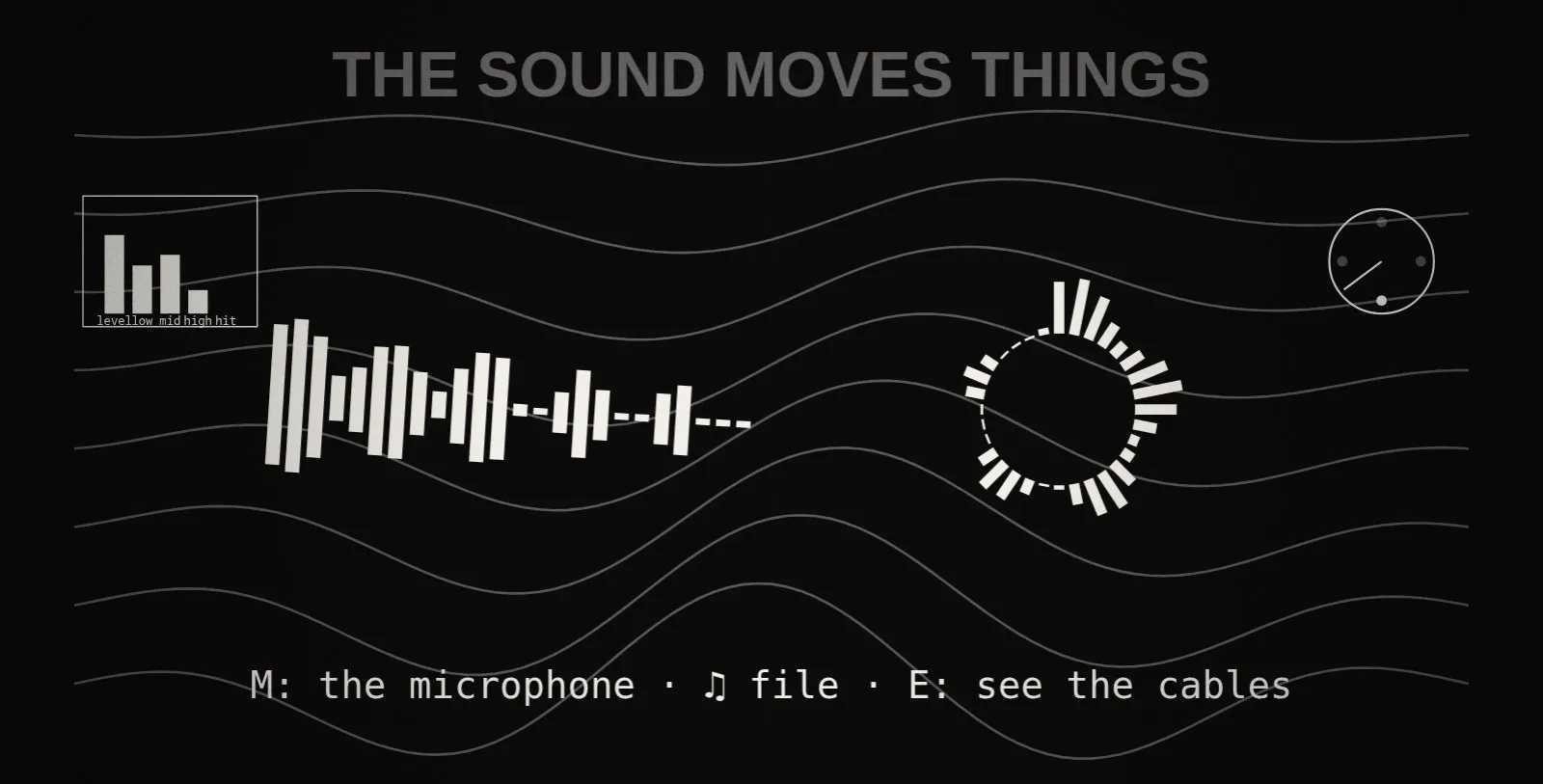
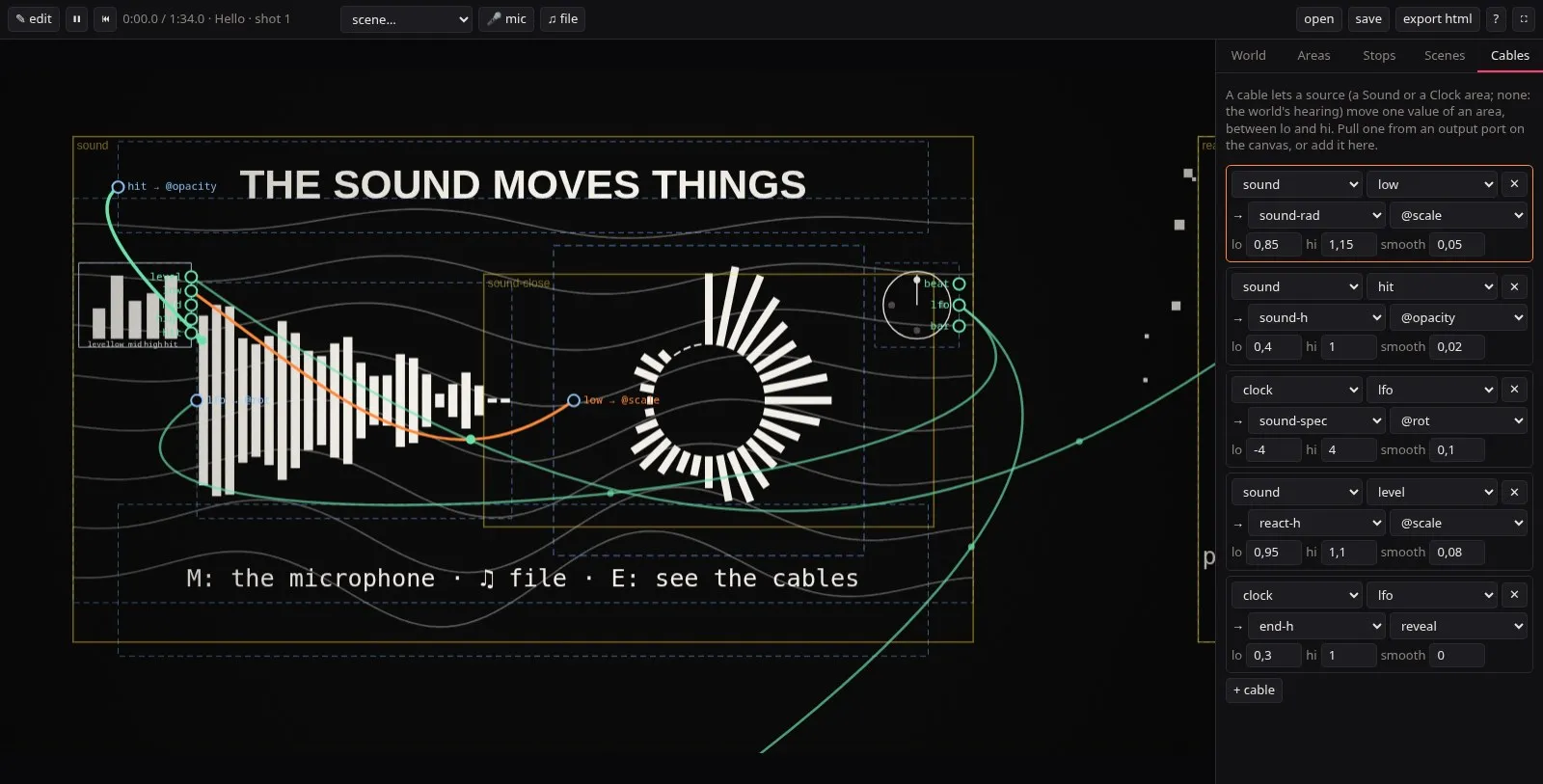
To pull a cable, drag from an output port and drop it on an area; a menu asks which input. Cables write over a value for one frame and never change the document, so silence (or unplugging) gives everything back as it was.
The analysis is classical. It measures energy in 32 bands spaced on a log scale and in three summary bands. It finds onsets by spectral flux (Bello et al., A Tutorial on Onset Detection in Music Signals, 2005), with auto-gain, so a quiet room and a club both give values from 0 to 1. M listens to the microphone. ♫ file plays a track, and the story then follows the track’s own clock, so the cuts stay on the music. With no sound, the tempo stands in.
Editing in the same page
E switches between playing and editing. In edit mode:
- the view is free: drag to pan, use the wheel to zoom;
- drag an area to move it, drag its corner to resize it, hold Alt to turn it;
- S saves the view as a stop;
- a panel holds the world, the areas, the stops, the scenes and their shots, and the cables.
Undo watches the document itself, so every kind of edit can be undone, whether it came from the canvas, the panel or a key. There are 26 keys, kept in one list that both the handler and the help (H) are built from, so the two can’t disagree.

One file, that copies itself
What the editor saves is exactly what plays. export html takes the page’s own source, as it was loaded, writes the current world into it and saves it. The copy opens playing and is a complete editor too: one file to email, put on a stick, or open offline at a venue.
The build is about sixty lines of Node with no bundler. It puts the modules in the order they import each other and inlines them into the page. Two rules make that work, and the build checks both: imports are plain and named, and every top-level name is unique across all the files.
What was left out
From World: the live-coding registers, the hundreds of layers, the GPU effects, the sets of worlds, the projector outputs. Each is real value, and each multiplies what there is to learn. World Light keeps the grammar (a plane, stops, shots, scenes, looks, reactions, cables) and just enough vocabulary to show it: seven layers, two sources, nine transitions. Vocabulary is easy to add, one layer or one transition at a time. The grammar is the hard part to get right, and it’s what this engine is.
Design and code: SVDK.