shadokmapping / Journal
shadokmapping: more shapes, NDI out, one file to run
Before the workshop: boxes seen from inside, room corners and round objects; a zoom for placing corners precisely; any output sent to OBS, Resolume or vMix as NDI; the whole tool as one AppImage; and a control page that fits a phone.
An update to shadokmapping, the video-mapping tool for the TOPLAP Strasbourg workshop at the Shadok. The solo web version has the mapping and phone changes already; NDI and the AppImage are for the full version that runs a room.
More than boxes
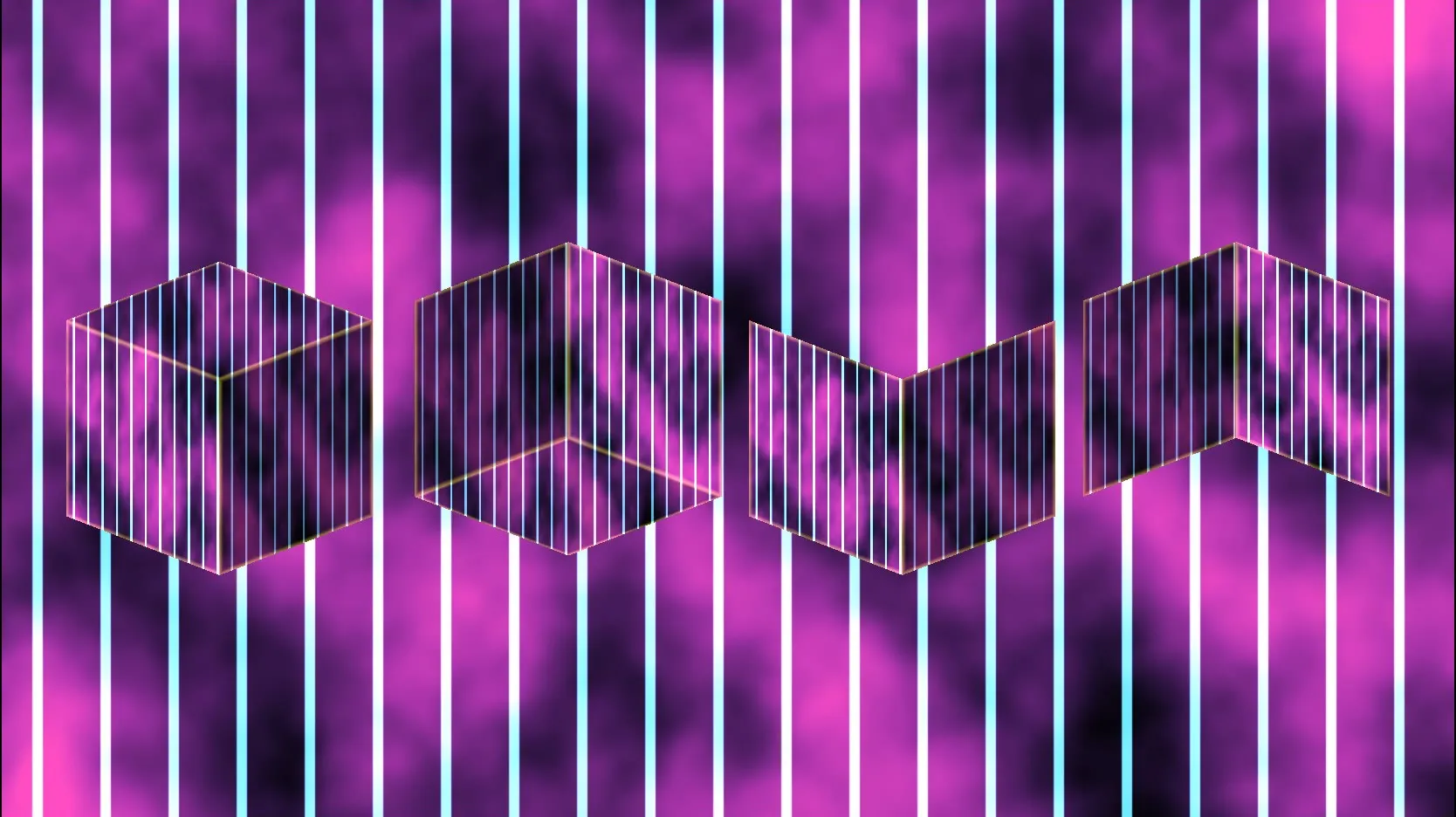
The cardboard box is still the workshop’s main piece: three visible faces that share their corners, seven corners in all, dragged onto the real box. Now ▣ + box… offers four shapes, all with shared corners:
- a box from outside: the classic, seen from its corner (a top and two sides);
- a box from inside: the same shape turned round, for the inside of an open box or the corner of a room with its floor;
- a corner sticking out: two faces, like the edge of a pillar or a building;
- a corner going in: two walls meeting.
The inside shapes are lit from the inside by the Box FX light. An existing box can be switched with a right-click, seen from inside: only the lighting changes, and the points stay where they are. For a round object (a drum, a globe, a plate), ◯ + circle adds a 24-point mask that keeps only its inside.
By default the whole picture is stretched across a box, so it wraps over its corners. Editing a face’s input switches that box to one picture per face, starting from exactly what it was showing, so nothing jumps.

Zoom while placing points

Placing a corner exactly on a real box is fiddly at the size of a preview. With ✎ Mapping on, the preview now zooms:
- the mouse wheel zooms around the pointer;
- dragging an empty spot moves the view;
- − / + / 1:1 sit in the corner, and 0 goes back to 100 %.
Zoomed in, a dragged point moves more finely, and Shift still slows it down seven times. The projector window itself never zooms: what it shows is what is projected.
NDI out
Each output can now be published on the network as NDI. In
Map → Outputs, tick send as NDI and the output appears as
shadok · <number> · <name> in OBS (with the DistroAV plugin), Resolume, vMix
or NDI Studio Monitor. That way the mapping can go into a stream, a recording
or another VJ’s mix.
It is sent by the output window open on the machine that runs the server. It needs GStreamer’s NDI plugin and the NDI runtime, and when one of them is missing, the error shows next to the switch. Without the plugin, OBS can do it alone: add a Browser source with the output’s address, and DistroAV publishes it. The other way round, NDI sources can be brought in through the bridge, and the launcher lists the ones it finds on the network.
One file to run
The full version, the one that runs a room, now builds into a single AppImage for Linux: one file, double-click to run. Inside is a portable Python and the app, built to run on most distributions from about 2014 on. What stays outside is Chromium (or Chrome), plus ffmpeg, GStreamer, yt-dlp and NDI if you want them. The launcher’s Setup panel installs those. A running AppImage can even rebuild itself.
On a phone
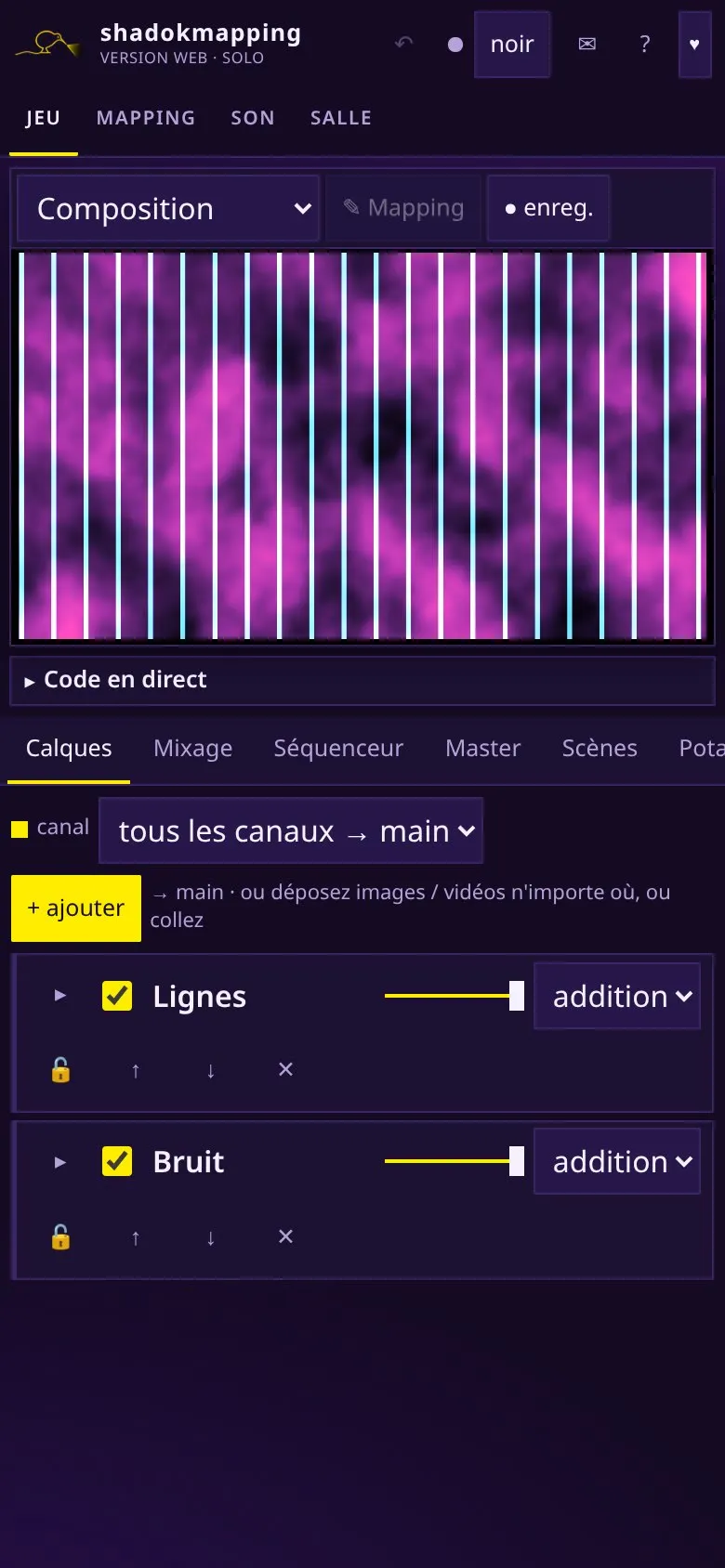
On a screen narrower than 760 px, the control page becomes one column: the header, the section tabs sliding sideways, the preview pinned at the top and the panels underneath, scrolling. The live code is folded until you tap it. Nothing is wider than the screen. Phones were already instruments in the room (an XY pad, tilt, photos); now they can run the whole page as well.
If you come to the workshop, bring a box, or a corner.